
Tube Video Downloader
Media Tools StudioVideo Players & Editors
4.0401.00 Reviews
- Version
- 5.3
- Installs
- 1.00M
- Age Rating
- Everyone
Screenshots
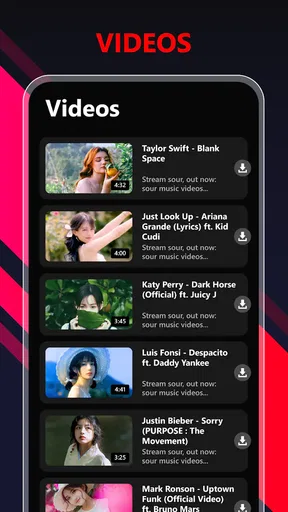

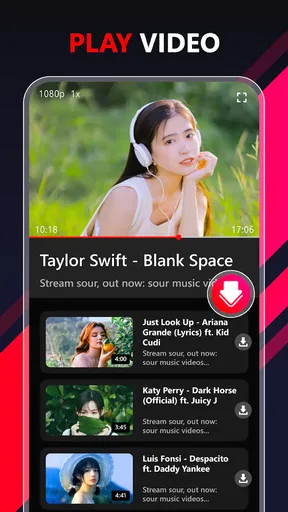
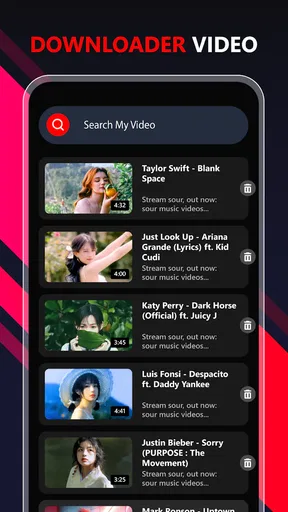



Our Review of Tube Video Downloader
 Analysis by Appyee
Have you ever found yourself scrolling through your favorite video platform, wishing you could save some of those awesome clips for offline viewing? Enter Tube Video Downloader, the app that promises to transform how you consume content on your mobile device. But does it really live up to the hype? Let's dive in and see what this app has to offer.
Getting Started with Tube Video Downloader
First things first, downloading the app is a breeze. Available for both Android and iOS, you can find it easily on your device’s app store. Once installed, the app greets you with a simple and straightforward interface. No convoluted menus or confusing options here – just a clean layout that makes it easy to get started.
To begin downloading videos, all you need to do is copy the URL of the video you want and paste it into the app. I tried this with a few different platforms, and the app handled them all with ease. It’s worth mentioning that the app supports a variety of file formats, so you can choose the one that best suits your needs.
Features That Make It Shine
One of the standout features of Tube Video Downloader is its download speed. I was genuinely surprised by how quickly it processed and downloaded videos. Whether you're grabbing a quick meme or an entire documentary, the app gets the job done swiftly.
Another nifty feature is the ability to download multiple videos simultaneously. If you're anything like me and have a queue of videos to binge-watch later, this feature will definitely come in handy. No more waiting around – just queue them up and let the app do its magic.
You can also choose the video quality before downloading, which is a nice touch. Whether you're saving space on your device or want the highest quality available, the app gives you that flexibility.
Navigation and User Experience
Let's talk about the user experience because, honestly, it can make or break an app. I'm happy to report that navigating through Tube Video Downloader is a walk in the park. The developers clearly prioritized user-friendliness, and it shows.
The app is intuitive, and even if you're not tech-savvy, you'll find your way around in no time. The buttons are well-placed, and the overall design is sleek without being overwhelming.
Security and Peace of Mind
In today's digital age, security is a significant concern. Fortunately, Tube Video Downloader takes this seriously. The app includes built-in safety features to protect your device from malware or any unwanted threats. During my time using it, I didn't encounter any red flags, which is always reassuring.
Moreover, the app doesn’t bombard you with ads, which is a rare find these days. It feels refreshing to use an app that respects your experience and keeps the distractions to a minimum.
Final Thoughts
So, is Tube Video Downloader worth your time? In my opinion, absolutely. It's a handy tool for anyone who enjoys offline content consumption. The app delivers on its promises with a straightforward interface, fast download speeds, and a focus on user security.
Whether you're an occasional video downloader or someone who likes to keep a library of offline content, this app has you covered. It’s reliable, efficient, and, best of all, user-friendly. Give it a try and see for yourself how it can enhance your video-watching experience.
If you're interested in checking it out, head over to your app store and download Tube Video Downloader today. Happy downloading!
Verdict
Strengths of Tube Video Downloader
- Fast download speeds enhance user experience.
- Supports multiple video formats seamlessly.
- User-friendly interface is easy to navigate.
- Allows background downloading without interruption.
- Provides built-in video player for immediate viewing.
Limitations of Tube Video Downloader
- Contains ads that can be intrusive at times.
- No integrated browser limits search options.
- Download quality may vary across videos.
- In-app purchases for premium features.
- Limited support for some video platforms.
Similar Picks in This Category
View All
Google TV
Google LLC3.9

iTunes
Apple4.7

YouTube
Google LLC3.8

MX Player
Amazon Mobile LLC4.2

CapCut - Video Editor
Bytedance Pte. Ltd.3.5

PLAYit-All in One Video Player
PLAYIT TECHNOLOGY PTE. LTD.4.5
Frequently Asked Questions
Is Tube Video Downloader safe to use?
Yes, Tube Video Downloader is designed with user safety in mind. It ensures that your data remains private and secure while you download videos. However, it's crucial to download the app from official sources like the Google Play Store or Apple App Store to avoid malicious versions.
What video formats does Tube Video Downloader support?
Tube Video Downloader supports a variety of video formats, including MP4, AVI, and MOV, among others. This flexibility allows users to choose the format that best suits their playback devices or editing needs, ensuring compatibility across different platforms.
Can I download videos from all websites using Tube Video Downloader?
Tube Video Downloader supports a wide range of websites, but not all. Some sites have restrictions in place that prevent downloading. It’s always a good practice to check the terms of service for each website to ensure compliance with their rules and regulations.
Does Tube Video Downloader allow batch downloading?
Yes, Tube Video Downloader offers the convenience of batch downloading. Users can queue multiple videos to download simultaneously, saving time and effort. This feature is particularly useful for users who wish to download entire playlists or multiple clips at once.
Is there a cost associated with using Tube Video Downloader?
Tube Video Downloader is typically free to use, but it may offer in-app purchases or a premium version for additional features. The free version usually includes ads, while the premium option provides an ad-free experience and possibly more advanced downloading capabilities.
